Map gifts, likes, and follows
Choose an event, name its mapping, and set exactly how many bands it adds or removes. Set a custom like threshold for each mapping.
Let your community shape a playful watermelon challenge. Map gifts, likes, and follows to add or remove bands, then watch the tension build in a live overlay.
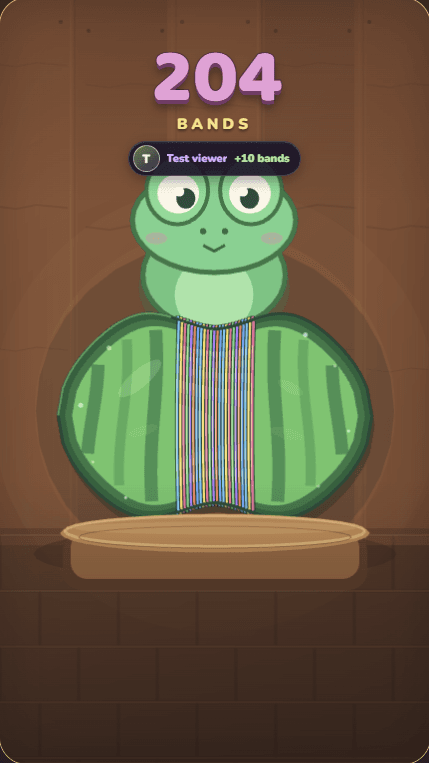
Your community sets the squeeze
MADE FOR INTERACTIVE LIVE STREAMS
Give your viewers simple ways to influence the game while you stay in control of the rules.
Choose an event, name its mapping, and set exactly how many bands it adds or removes. Set a custom like threshold for each mapping.
The watermelon has a hidden, randomized burst point each round, so viewers cannot tell exactly how many bands remain.
Add the game overlay to OBS or TikTok LIVE Studio. Viewer names and profile images appear as the watermelon tightens and bursts.
SEE IT IN ACTION
Choose the viewer events and effects you want, then show the game directly in your stream layout.
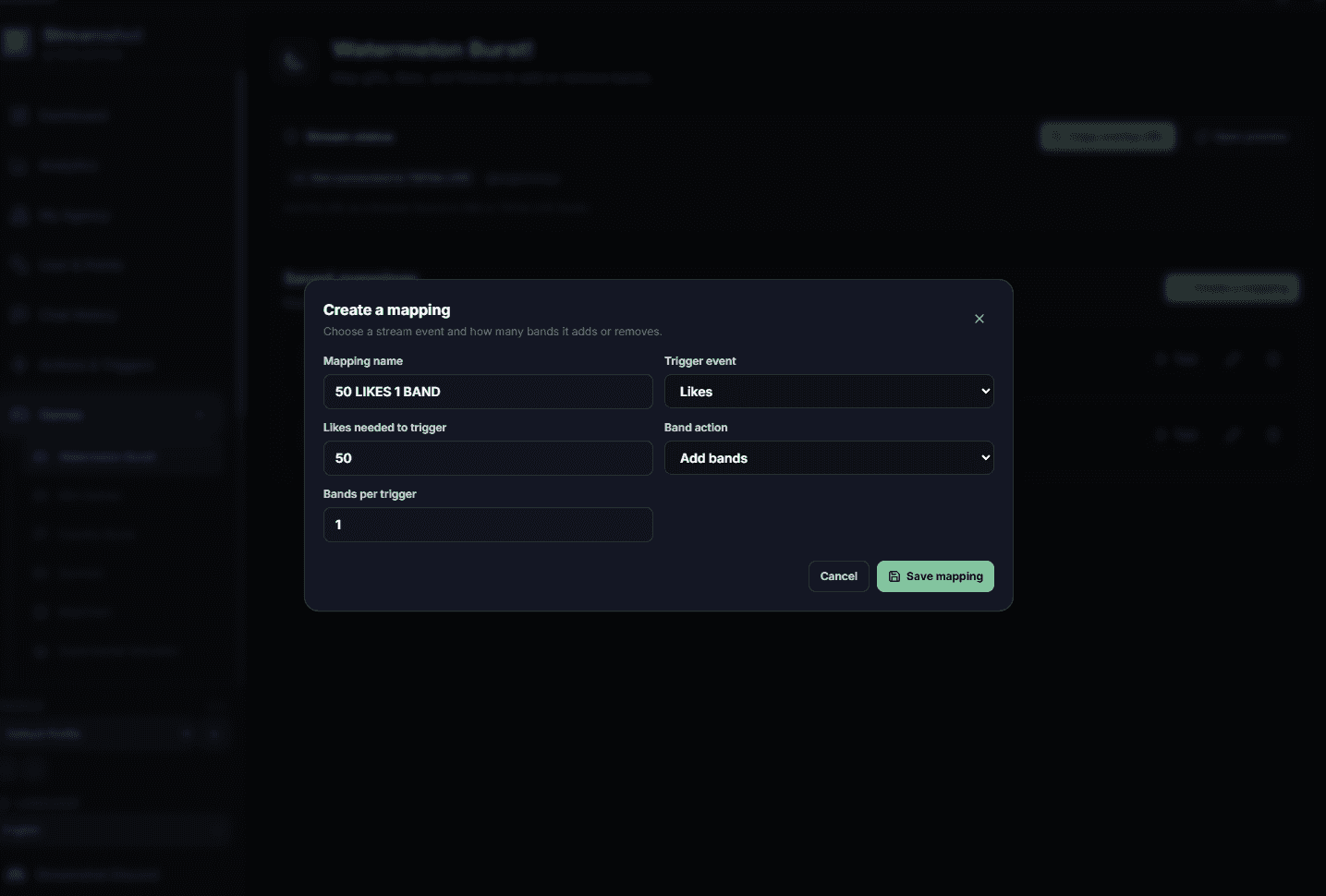
Pick the number of likes needed to trigger a mapping and decide how many bands to add or remove.
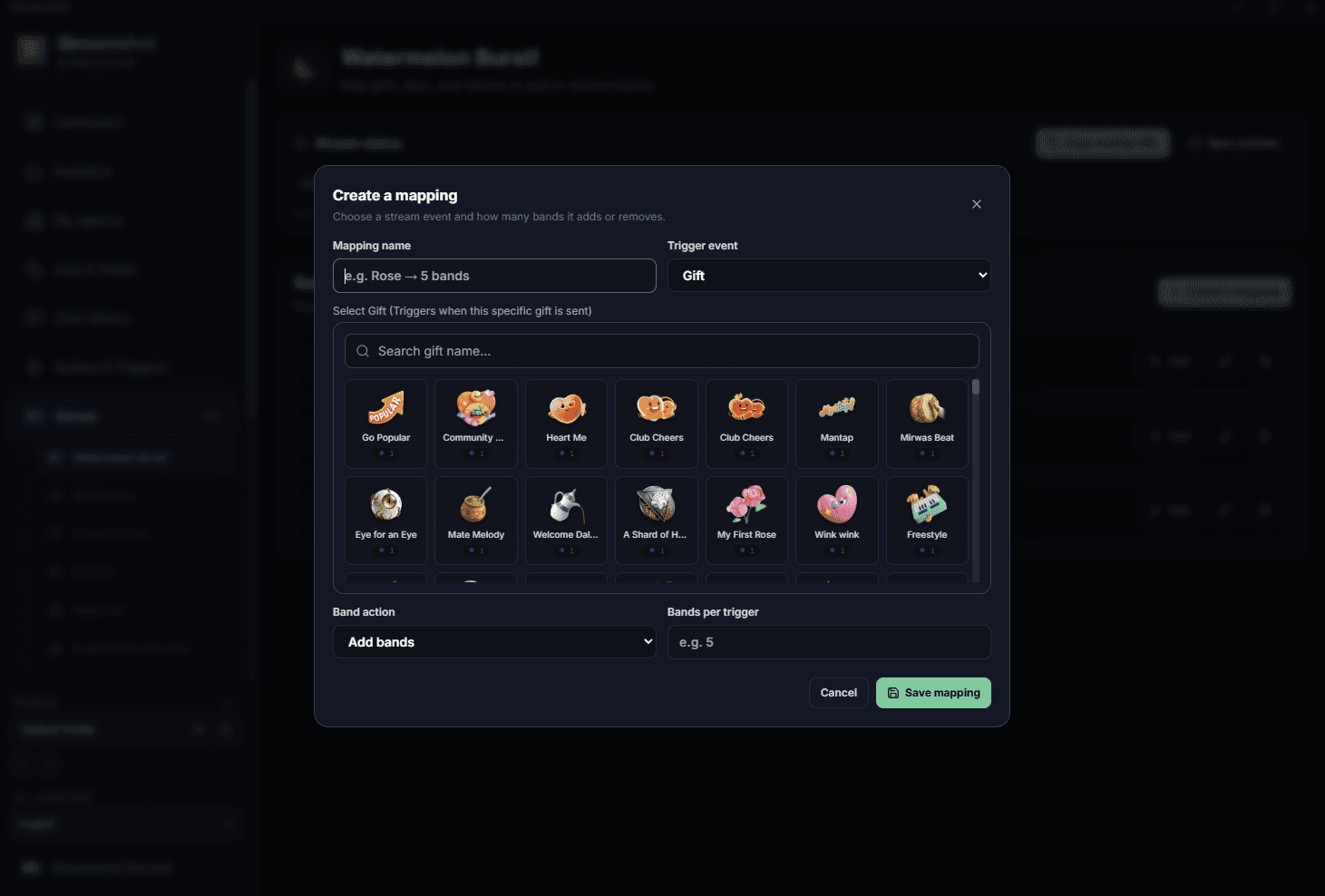
Select a TikTok LIVE gift, give the mapping a name, and set its band action and amount.
Bands gather at the center as viewers participate. The round ends with a surprise watermelon burst.
QUICK TO SET UP
Configure the game in Streamshot, then add its browser overlay to your streaming software.
Choose a gift, like milestone, or follow. Give the mapping a name viewers will recognize.
Set add or remove, choose the band amount, and define a custom threshold when the trigger is likes.
Copy the Watermelon Game overlay URL into OBS or TikTok LIVE Studio and start your stream.
WATERMELON GAME FAQ
It is a Streamshot mini-game overlay where viewers influence a watermelon by sending mapped gifts, reaching like milestones, or following. Bands collect around the middle until the watermelon bursts.
Yes. Each gift, like, or follow mapping can add or remove a custom number of bands. Like mappings also let you choose the number of likes needed for each trigger.
Yes. Add the Streamshot game overlay as a browser source in OBS or TikTok LIVE Studio.
No. The burst point is randomized and hidden for each round, keeping the outcome a surprise for your chat.
MAKE YOUR NEXT LIVE INTERACTIVE
Set up your Watermelon Game mappings in Streamshot and bring the challenge into your next TikTok LIVE.
Download Streamshot free